Scale (#417)
← Back to GlossaryExpand or reduce the whole piece; keeping the proportions constant
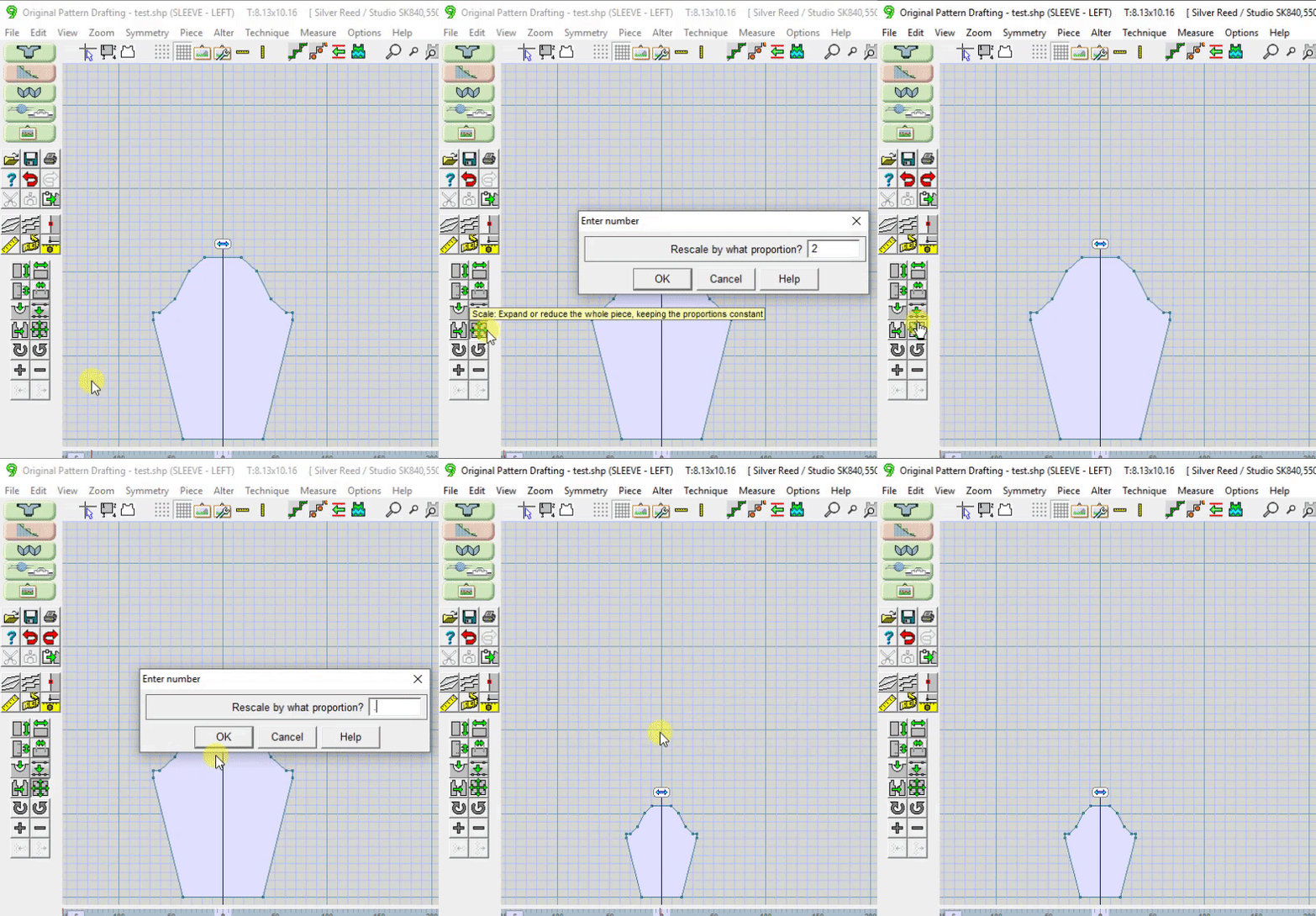
This is one of many tools used to change the dimensions of a piece. This tool changes the entire piece by the ratio you enter.
- Enter 2 to make the piece twice the original size
- Enter .5 to make the piece 1/2 the original size