Copy Points (#434)
← Back to GlossaryCOPY selected point(s) on the Clipboard
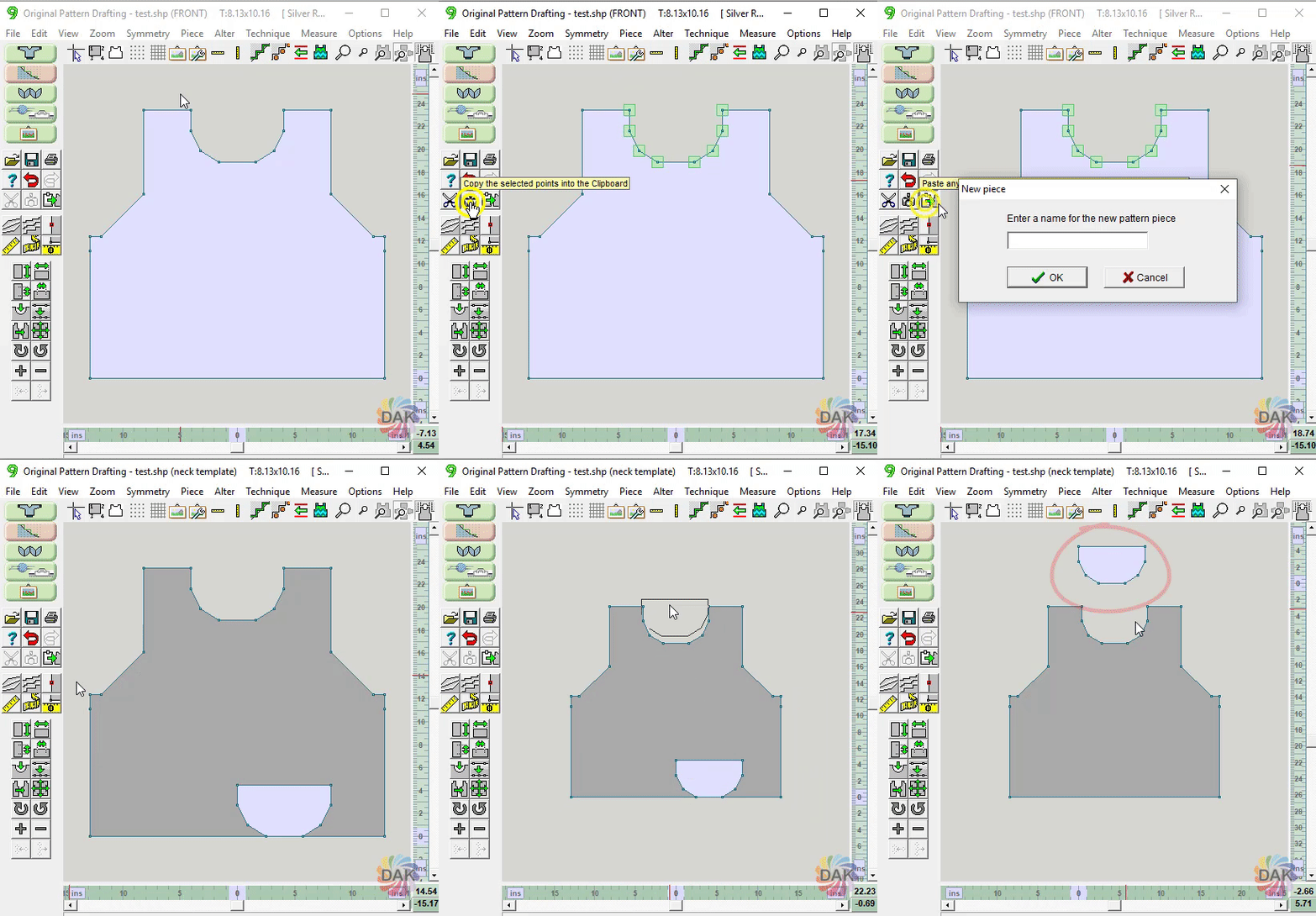
Select single points or multiple points (click and drag) and copy them to the Clipboard. The points will remain on the clipboard until the clipboard is overwritten. These points can subsequently be "pasted" to the Original Pattern Drafting workspace as a new piece. Among other things, this feature can be used to create Cut 'n Sew templates.