

DesignaKnit Q&A: Clear Answers Before You Buy
Not sure if DesignaKnit is right for you? This guide answers the most common questions about what it can do, what you actually need, and how it fits into your knitting.
Compare versions | What is DesignaKnit? | Setup requirements | Do you need DesignaKnit?
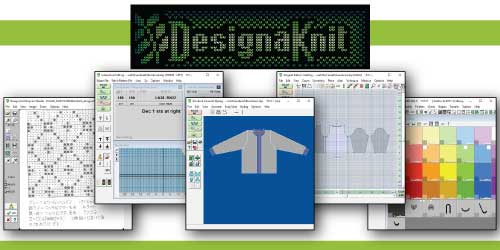
What DesignaKnit Can Do
Is DAK only for fancy sweaters or is it good for entering your measurements and family measurements to make sweater patterns?
It works for everything from simple sweaters to detailed custom garments. You can start from your own measurements or use standard sizes, then customize the fit and style.
Are there presets for sizes that you are forced to use?
Presets are available so you are not forced to start from scratch, but every size and shape value is editable.
Can I save individual measurements and just call them up, and edit them if the person has grown? Can their patterns be saved in their own folder with their sweaters?
- You can create a pattern to your measurements and reuse those measurements again and again, or copy the original pattern, make small changes to the design, and use it again.
- You can create custom sizing tables. One for each grandchild. The tables can be edited as they grow.
- You can keep each person’s files together so their measurements and garment patterns stay organized.
I am not interested in skirts, pants, blankets, etc., so if it just does sweaters, not a problem.
DAK can absolutely focus on sweaters, but it also supports many other shapes and projects. You can combine garment shaping with stitch patterns and motif placement exactly where you want them, whether that is on a sweater, hat, or another piece.

Shaping, Fit, and Sleeves
Will it create the pattern needed for a shaped sleeve cap and the armhole shaping necessary?
Yes. You don't have to do anything for set-in sleeves. Honestly, it's best if you don't. You can still make adjustments, like a puffy, gathered set-in sleeve. In addition, you have other sleeve choices: straight (drop shoulder), raglan, set in, saddle shoulder.
Sloped shoulder?
Yes. It does that automatically and adjusts the sleeve cap accordingly.
Printing, Saving, and Working Styles
Print it off so it can be used as a printed pattern as the Knit It Now patterns are? I love that Knit It Now can be printed. Reading from a computer as knitting is not an option.
There are multiple print formats, including Japanese notation and printed outlines for charting tools like a knit leader or radar. DAK gives you strong drafting and chart support, though it does not replace full step-by-step hand-holding pattern instructions.
Can I make PDF files to save?
Yes. You can create PDF files and save editable files so you can reuse, revise, and build your own pattern library over time.
Is there a learning curve? Yes. Take one module at a time and turn uncertainty into “I've got this.”
Equipment and Setup
Do I have to connect it to my LK150?
No. The only reason to connect it is to use the Interactive Knitting feature, which is an electronic version of a charting device. If you can make room by your knitting machine, do not ignore this feature. It’s excellent, eliminates printing, and is very visual.
Do I need a special cable and a dedicated machine setup?
Only if you want live Interactive Knitting at the machine. Many users begin by drafting and printing first, then add machine connection later.
I would be using my HP laptop.
Any updated Windows laptop or desktop can run DAK. If you use a Mac, run it through a supported Windows environment and verify requirements before purchase.
Computer System Requirements.

Versions, Licensing, and How to Try It
What DAK program are you using? There are different ones.
The current release is DAK 9, with several levels available. Unless you plan to write hand-knitting patterns, Machine Professional is often the best fit for machine knitters.
Does it come with a DVD or CD?
DVDs and CDs are no longer offered. Delivery is by download.
Is there a demo I can try?
Yes. You can download it directly from the developer, Soft Byte.
Download the demo
Have any of you had problems with the licensing code working?
I have never had an issue in all the years and computers I've owned and used DAK.
Have any of you had problems when you had to get a new computer? Downloading it to a new computer, the code or license key working?
In my experience, no. Moving to a new computer and reactivating has been straightforward when you keep your purchase details handy.
Useful next steps before purchase: Compare versions, check setup requirements, and preview DesignaKnit Demystified.
Want Guided Training?
Learn DesignaKnit courses help you move from wondering what the software does to actually using it with confidence. You will learn practical workflows for modules like Standard Garment Styling, Stitch Designer, Original Pattern Drafting, and Interactive Knitting.
Do you already use DesignaKnit? Your experience could make all the difference for someone considering it.
Share your tips or words of wisdom in the comments below to help a fellow knitter feel more confident.
Join the Conversation
FAQ: Quick Answers
Short answers to common questions before you buy.
Is DAK only for fancy sweaters?
No. It handles everything from basic garments to custom shapes and hats. You can even draw shapes and get exact rows and stitches.
Will it draft sleeve caps and armholes for me?
Yes. Set-in sleeves are fully handled. You can also choose straight, raglan, set in, or saddle shoulder options.
Does it support sloped shoulders?
Yes. It calculates sloped shoulders and adjusts the sleeve cap to match.
Are there size presets and can I edit them?
Yes to both. Start with presets and edit anything. You can also save custom sizing tables for individuals.
Can I print patterns or save PDFs?
Yes. Multiple print formats are available, plus PDF and editable text exports.
Do I need to connect to my LK150?
No. Connection is optional. It is only needed for Interactive Knitting (an electronic charting device feature).
Which version should I buy?
DAK 9 is current; we recommend the Machine Professional level. Compare versions on this site to choose.
Is there a demo?
Yes. You can try it before you buy. Download a demo from Soft Byte.
Any license or reinstall headaches?
In my experience, no. Licensing and reinstalling on a new computer have been trouble-free.