

The Goal:
 Interactive Knitting with the LK150
Interactive Knitting provides real-time, row-by-row instructions to guide you through your pattern. Whether you're using a cable connection or simply following along on screen, this feature helps you knit with confidence and accuracy.
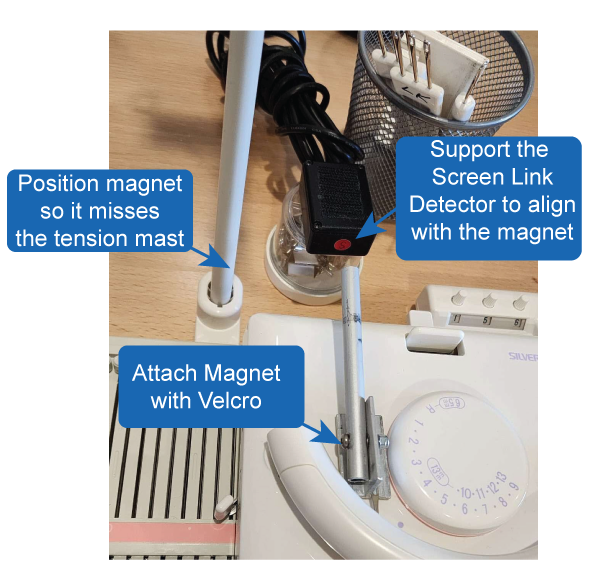
With the LK150, you can connect the ScreenLink USB Cable and magnet to allow DesignaKnit to track carriage movement and automatically advance your instructions as you knit.
Even without a cable, you can still use Interactive Knitting by advancing rows with your mouse or keyboard. This allows you to follow your shaping instructions, preview upcoming rows, and become familiar with the process before connecting your machine.
In this section, you'll learn how to get started with Interactive Knitting, understand the screen layout, and use the tools available to make knitting your designs easier and more accurate.