

The Goal
There are 2 important steps to using DesignaKnit to create lace stitch patterns.
Learn to use the drawing tool and the "rules" DAK applies for machine knitting
Understanding how your machine knits lace with the lace carriage
Checking your access…
Course: DesignaKnit and Lace
About DAK and Lace
There are 2 important steps to using DesignaKnit to create lace stitch patterns.
Learn to use the drawing tool and the "rules" DAK applies for machine knitting
Understanding how your machine knits lace with the lace carriage
About DAK and Lace
 Using the lace tool is straight forward to use, draw stitch symbols in the Stitch Designer gridded workspace with lace symbols just as you would create stitch patterns for other techniques.
 Click where you want the eyelet and drag in the direction of the stitch transfers.

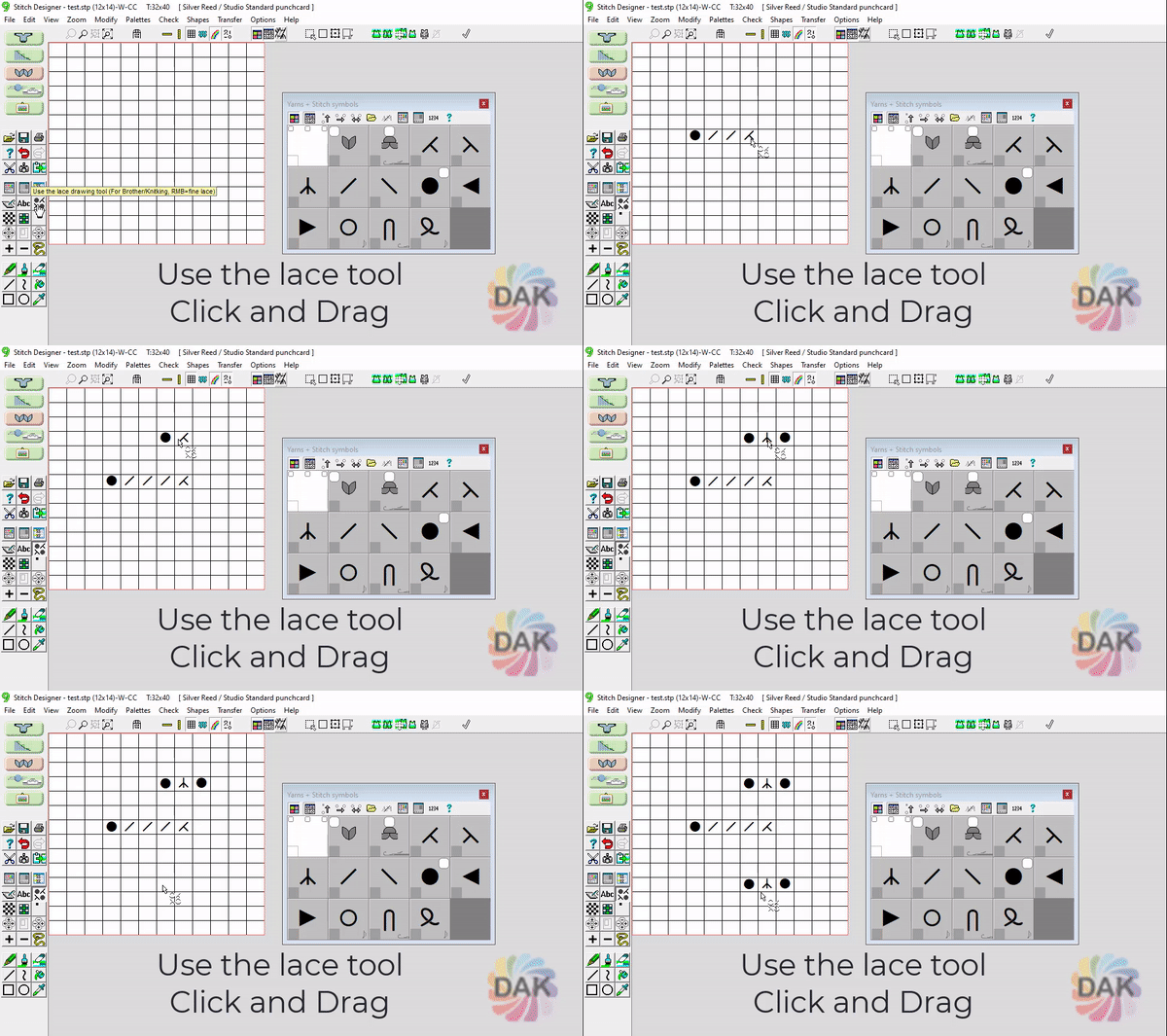 The Lace tool will:
 transfer
 and decrease symbols
 in the direction of drawing
 where lace transfers from opposite directions meet
About DAK and Lace

Draw with the left mouse button to create
MULTIPLE stitch transfers
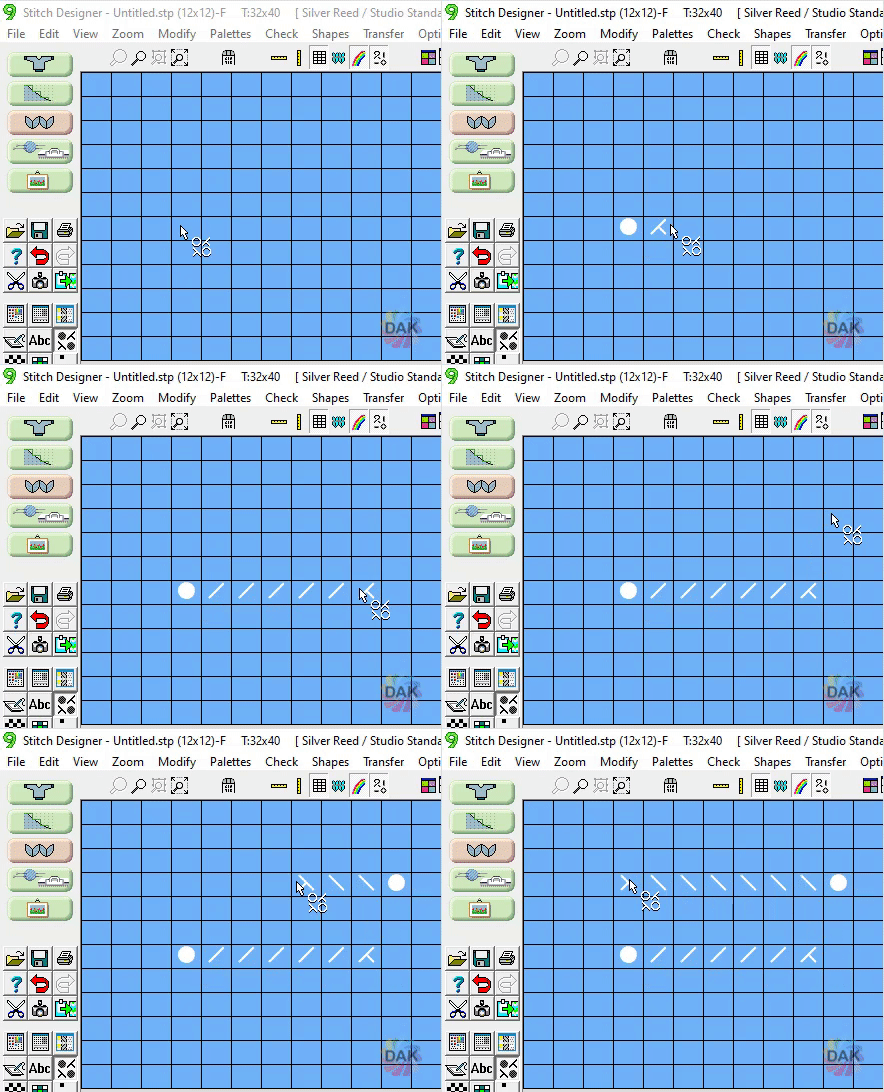

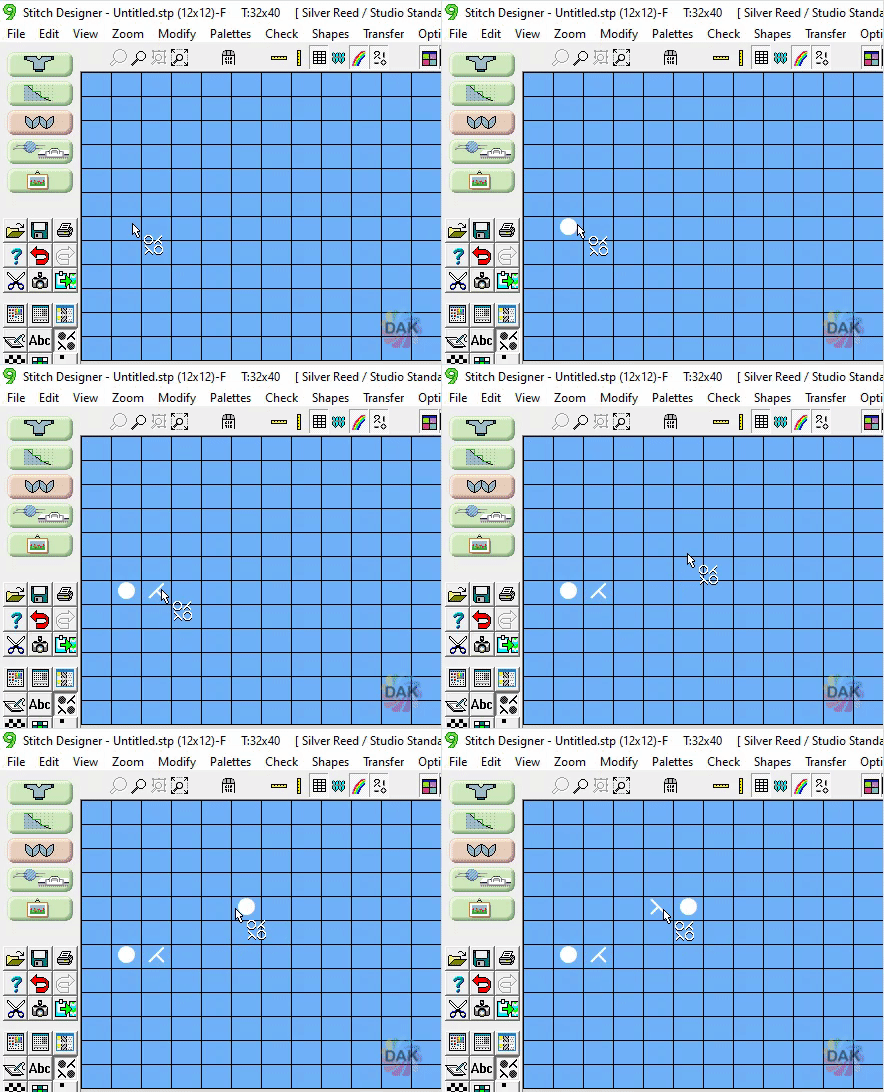
Draw with the RIGHT mouse button for
single stitch transfers
(Brother fine lace symbols
 )
About DAK and Lace
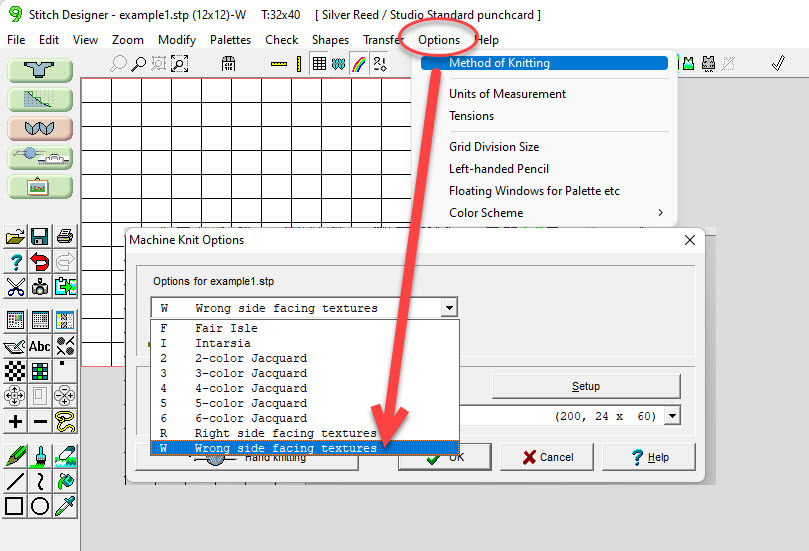
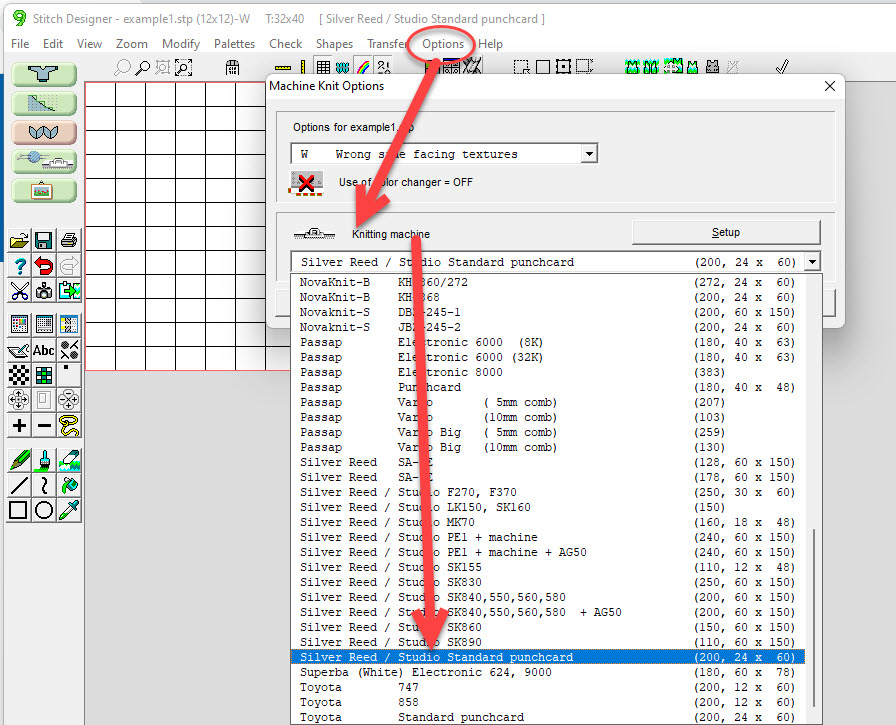
In order for DesignaKnit to be "smart" with the lace tool, it needs to know what machine you are using.
2 important settings:


About DAK and Lace
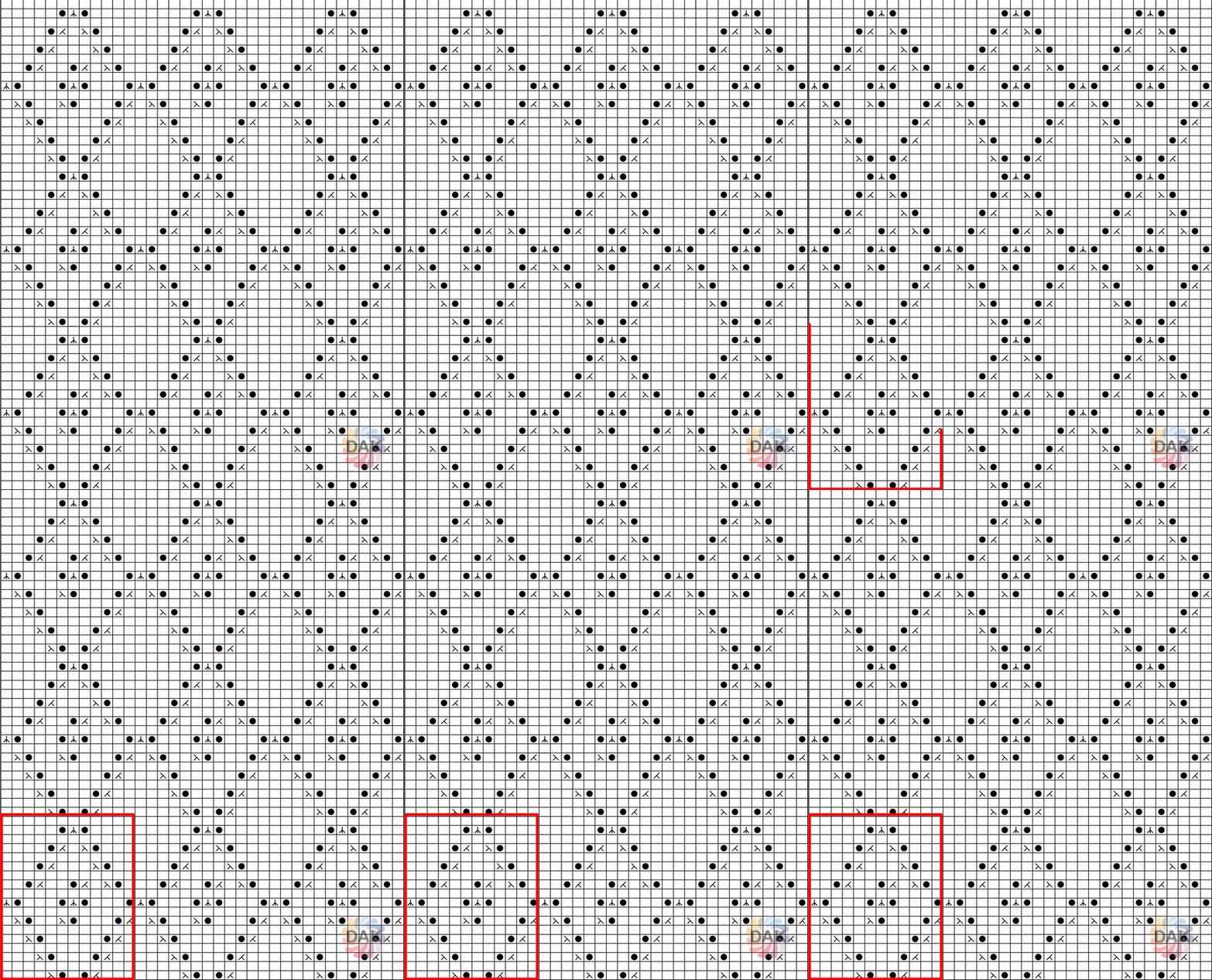
Remember stitch multiples. Most knitting stitch patterns have motifs that repeat.
When considering a stitch pattern to copy, make things easier on yourself by looking for the smallest repeat.
This pattern is overwhelming at first, but it's really only 12 stitches by 18 rows.
About DAK and Lace
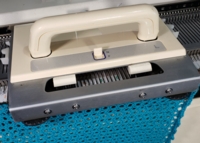
To create lace, Brother machines use 2 separate carriages. The lace carriage selects needles and transfers stitches, the main carriage is then used to knit the row(s) according to the pattern.
The thing to keep in mind is the lace carriage "lives" on the left side of the needlebed. A single row of lace transfers requires 2 passes of the carriage. One pass to transfer the stitches and one pass to return the carriage to the left side of the needlebed (to make room for the main carriage to knit).
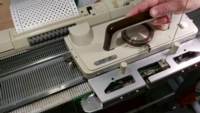
The lace carriage on these machines can transfer stitches AND knit the rows. The main knitting carriage is set aside while knitting lace.
When creating more complex lace patterns, the carriage settings are adjusted to "transfer only" and "transfer and knit".
About DAK and Lace
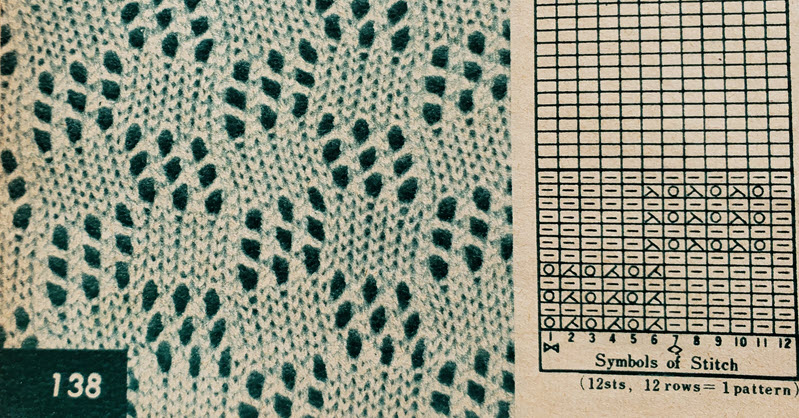
It's best to copy hand knitting lace diagrams and not try to copy from a photo of a lace pattern. If the knitting pattern does not have a diagram, but only knitting instructions, "translate" and sketch a diagram before trying to input to Stitch Designer.
Select a lesson from the menu above to get started.
Welcome back. Log in to continue.
Need an account?