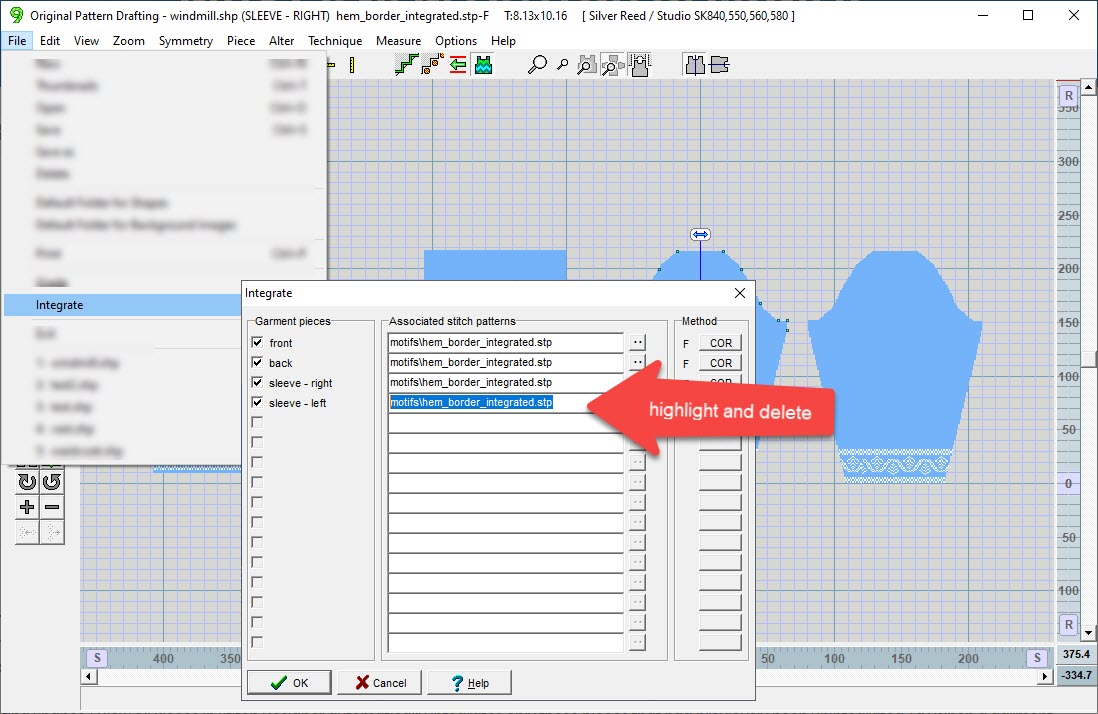
Stitch patterns can be assigned (integrated) to individual shape pieces. Integration is saved with the shape file.
The integrated stitch patterns can be viewed in original pattern drafting, and are manipulated in Stitch Designer
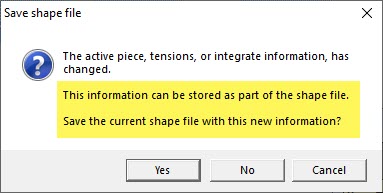
Even though un-integrated pieces may be shown in Stitch Designer they are not integrated automatically. Saying "yes" to this warning prompt will save the integration for ALL pieces
Changes in DesignaKnit 9
1
An unintegrated piece no longer becomes automatically integrated with the stitch pattern that is currently open.
2
When a shape file is open and then a stitch pattern file is opened, any pieces that had previously been integrated (saved) with that stitch pattern are now displayed on the pattern automatically.
3
Selecting Shapes / View All Pieces from the menu in Stitch Designer automatically integrates only those pieces that have NOT been previously integrated (and saved).
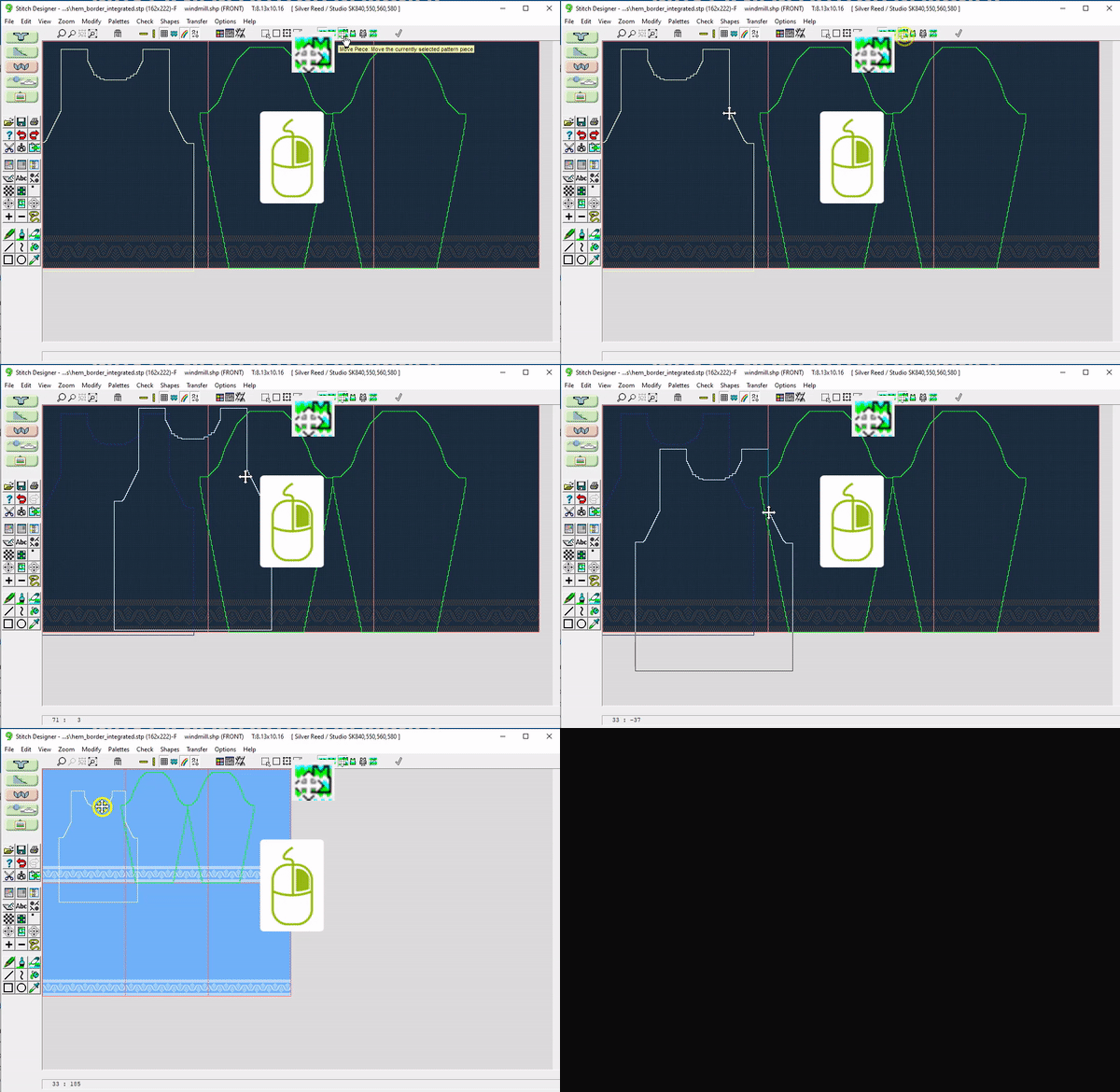
4 When a garment piece is dragged to a new position that overlaps or is completely outside the existing stitch pattern repeats, the number of repeats is now adjusted to accommodate the new position of the piece. In other words, DAK automatically adds repeats to fill in the garment piece if necessary.
5
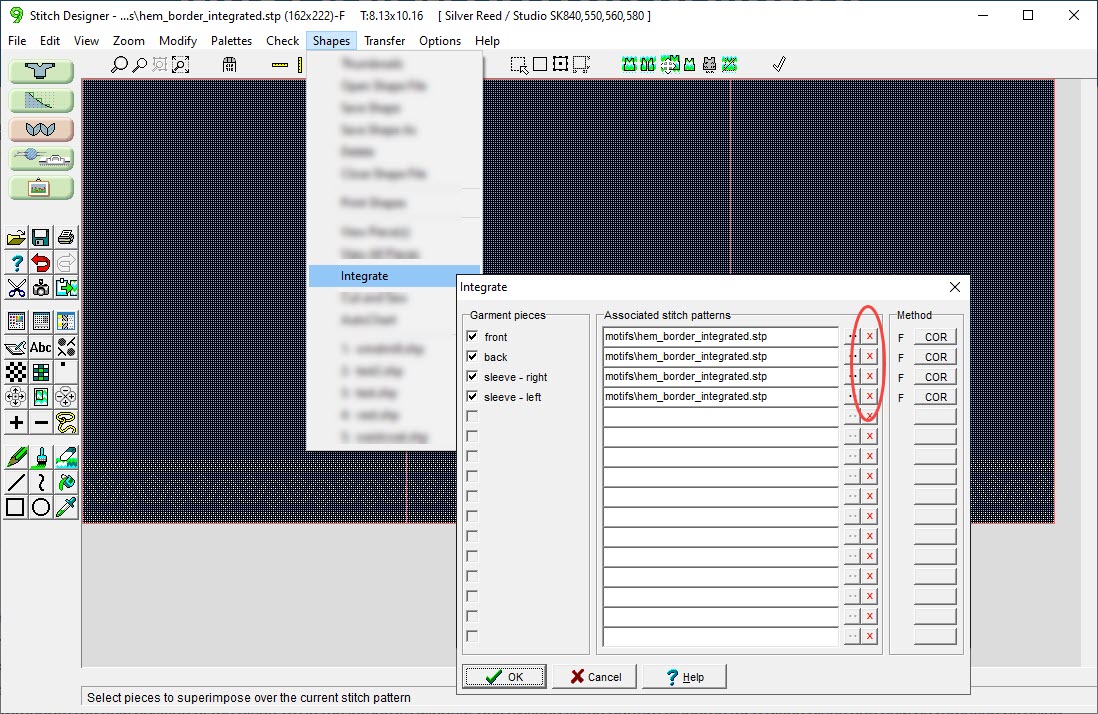
In the Integrate window, any existing stitch pattern filename for a given piece can now be removed by using the new red X button that is located to the right of each file open button (see below). Integration can easily be removed from any pieces that are to be knitted plain.
The integration link can easily be broken between stitch pattern and pieces.
Original Pattern Drafting: >File >Integrate
Stitch Designer: >Shapes >Integrate
What's New | Stitch Designer
Select a lesson from the menu above to get started.


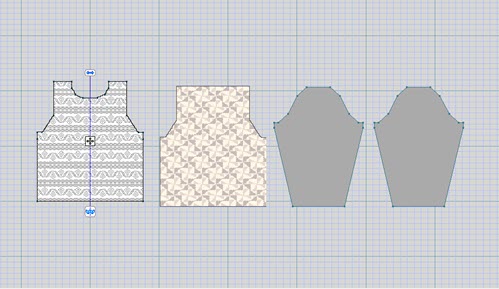
 in Stitch Designer automatically integrates only those pieces that have NOT been previously integrated (and saved).
 When a garment piece is dragged to a new position that overlaps or is completely outside the existing stitch pattern repeats, the number of repeats is now adjusted to accommodate the new position of the piece. In other words, DAK automatically adds repeats to fill in the garment piece if necessary.